14 Best Email Marketing Platforms for Small Businesses 2025

Updated on 11 Sep 2025
Table of Contents
- Our selection criteria for picking the best email marketing platform for small businesses
- 14 best email marketing platforms for small businesses at a glance
- Best email marketing platform for small businesses on a budget
- Best email marketing platform for small ecommerce businesses
- Best email marketing platform for powerful workflow automation
- Best email marketing platform for an all-in-one solution
- Best email marketing platform for scalable businesses
- FAQs
Most Popular
Not every email marketing platform delivers the same results.
Some platforms are bloated with features you’ll never use. Others are so bare-bones, you outgrow them before your next campaign.
For small businesses, the sweet spot lies somewhere in between: platforms that are affordable, easy to use from day one, customizable without a line of code, and backed by responsive support.
If you haven’t already made a list of must-haves, now’s the time.
We’ve done the heavy lifting by combing through 900+ user reviews, testing features firsthand, and talking to real users, to bring you the 14 best email marketing platforms for small businesses.
Whether you’re just starting out or scaling fast, this guide will help you find a platform that actually fits.
Our selection criteria for picking the best email marketing platform for small businesses
Before trying to wade through all the available options, you must know what you’re looking for. Different solutions offer different flexibility and features, and not surprisingly, they come with different costs.
Figuring out what best suits your needs will narrow your search. Here’s what we focused on while testing platforms built specifically for small business needs:
- Subscriber limits and pricing flexibility. You might be starting small, but growth happens fast. I looked for platforms that give you room to scale, without punishing you at every milestone. Whether that’s generous contact limits on entry-level plans or pricing tiers that grow with your list, these platforms are designed to support your business at every stage.
- Templates and customization. You shouldn’t have to build from scratch. The best platforms offer professionally designed templates you can easily tweak to match your brand. And for teams with specific needs or no design background, I paid close attention to how intuitive each platform’s editor felt – drag, drop, and done.
- Segmentation and automation. For small teams, efficiency is everything. That’s why I prioritized platforms that make it easy to send the right message to the right person at the right time, whether that’s through smart segmentation, behavioral triggers, or automated journeys that don’t require a steep learning curve.
- Ease of use. Many small businesses don’t have dedicated marketers, so I weighed how fast you can go from signup to send. From onboarding to campaign creation, I tested each platform’s learning curve and how much guidance was baked into the experience.
- Room to grow. Today, you might just need simple newsletters. Tomorrow, it might be sales sequences, A/B tests, or integrations with your CRM. The platforms that made this list are the ones that can scale with you, adding sophistication without making things overly complex or expensive.
With these five criteria in mind, we picked 14 email marketing platforms.
| Power up your email campaigns with Insider: Watch our interactive demo |
14 best email marketing platforms for small businesses at a glance
- Mailchimp
- Hubspot
- Brevo
- Keap
- Omnisend
- Klaviyo
- Moosend
- MailerLite
- ActiveCampaign
- Get Response
- Constant Contact
- Mailmodo
- SendGrid by Twilio
- Drip
| Platforms | Best for | Features included | Pricing |
Mailchimp | Automating email marketing | Strong segmentation and taggingEffective automation and analyticsA variety of templates and design platforms | Offers both a free trial and a plan. Pricing starts at $13/month |
| Hubspot | A premium all-in-one solution | All-in-one marketing, CRM, and automation suitePowerful automation and workflow platformsDetailed analytics and reportingExcellent onboarding and support | Offers a free trial. Pricing starts at $20/month |
| Brevo | Affordable all-in-one CRM or marketing solution | Unlimited contacts on most plansFlexible, scalable pricing Strong automation and segmentationAll-in-one features (email, SMS, chat, CRM) | Offers a free trial. Pricing starts at $25/month |
| Keap | All-in-one marketing platform | Integrated CRM with sales pipeline managementVisual campaign builder for automated follow-ups and schedulingDedicated onboarding and 24/7 support | Offers a free trial. Pricing starts at $9/month |
| Omnisend | SMBs on a budget | Seamless integration of email, SMS, and push notificationsPre-built automation templates for cart abandonment and welcome seriesDynamic segmentation based on behavior and purchase historyNative Shopify, WooCommerce, and BigCommerce connectivity | Offers a free plan. Pricing starts at $16/month |
| Klaviyo | Comprehensive email and sms marketing platform | Advanced analytics with real-time revenue trackingDeep Shopify, Magento, and WooCommerce integrationsPredictive and behavioral segmentation for personalization.A/B testing for subject lines and content | Offers a free plan. Pricing starts at $20/month |
| Moosend | Affordable email marketing platform for SMBs | Generous free tier for up to 1,000 subscribers.Drag-and-drop email builder with customizable templates.Pre-built automation for welcome emails and abandoned carts.Real-time analytics for opens, clicks, and conversions. | Offers a free plan. Pricing starts at $9/month |
| MailerLite | Affordable email marketing solution | Intuitive landing page and pop-up builder.Clean, user-friendly interface for easy campaign creation.Free plan supporting 1,000 subscribers and 12,000 emails/month.Basic automation for welcome emails and subscriber nurturing. | Offers a free plan. Pricing starts at $10/month |
| Active Campaign | Advanced CRM and personalized marketing automation | Customer experience automation with machine learning.Deep behavioral and demographic segmentation.Integrated CRM for tracking deals and customer interactions.Over 900 app integrations, including Shopify and Zapier | Pricing starts at $15/month |
| Get Response | Email marketing solution for SMBs | Integrated webinar hosting for lead generation.Autofunnel for lead capture and sales conversion.Drag-and-drop email editor with A/B testing.24/7 multilingual support via chat and phone. | Offers a free plan. Pricing starts at $19/month |
| Constant Contact | Straightforward email marketing platform | Event management for creating and tracking events.Simple editor with customizable templates.Social media scheduling for Facebook and Instagram.List-building platforms like QR codes and forms | Pricing starts at $12/month |
| Mailmodo | AMP-powered email campaigns | AMP emails with in-email forms and widgets.No-code drag-and-drop editor for dynamic campaigns.Dynamic content and segmentation for personalization.Real-time analytics for engagement tracking. | Pricing starts at $149 |
| SendGrid by Twilio | Scalable upgrades | Email API with 99.99% deliverability SLA.Real-time analytics for delivery, opens, and bounces.Spam testing platforms to optimize inbox placement.Well-documented API for app and website integration. | Offers a free plan. Pricing starts at $19.95/month |
Drip eCommerce | Email marketing automation for eCommerce | Visual workflow builder for complex automations.Deep Shopify and WooCommerce integrations.Granular segmentation with tags and custom fields.Dynamic content for behavior-based personalization | Offers a free plan. Pricing starts at $39/month |
Let’s walk through a quick breakdown of each email marketing platform, covering the key features, ideal use cases, drawbacks, and pricing details.
To make your decision easier, we’ve grouped the platforms into categories based on what they’re best at.
So whether you’re after pocket-friendly, advanced automation, or something built specifically for ecommerce, you’ll be able to spot the right fit fast.
Best email marketing platform for small businesses on a budget
MailerLite
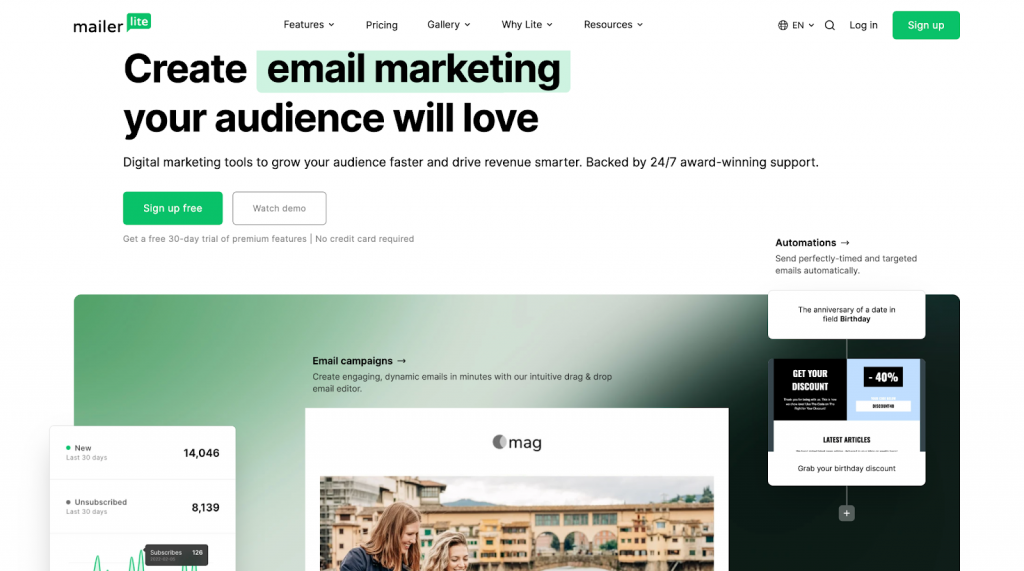
MailerLite is an affordable and simple email marketing software, especially for smaller businesses or those just starting with their email marketing efforts.
The software’s core features include email marketing, a drag-and-drop email builder, automation, a landing page and website builder, sign-up forms, and pop-ups.
What makes users rave about MailerLite?
If you’re just getting started with email marketing or running a small business on a tight budget, MailerLite checks most of the right boxes.
The platform keeps things simple with an intuitive drag-and-drop editor, reusable templates, basic automations, and extras like landing pages and pop-ups—all available on a free plan for up to 1,000 subscribers.
Users love MailerLite’s no-fuss experience. You don’t need design chops or technical expertise to send out polished campaigns, and its “pay-as-you-grow” pricing model makes it appealing for growing teams.
Where does MailerLite fall short?
Simplicity comes with trade-offs. The templates are basic, and customization options are limited unless you’re comfortable editing code.
Some users report bugs in the email builder. Some users also found the automation logic a bit clunky after the platform’s transition from its “Classic” version to the current one.
Reporting is another weak spot. While good enough for basic campaigns, it’s not ideal if you’re running a data-heavy ecommerce setup or need granular performance insights.
Who is MailerLite best for?
MailerLite is ideal for small businesses, solopreneurs, and creators who need an affordable, easy-to-use email platform to cover the basics, without bells, whistles, or a steep learning curve.
Pricing:
Free Business Plan – $0
Growing Business Plan – $10/month
Advance Business Plan – $20/month
Enterprise Plan – Custom pricing
Moosend
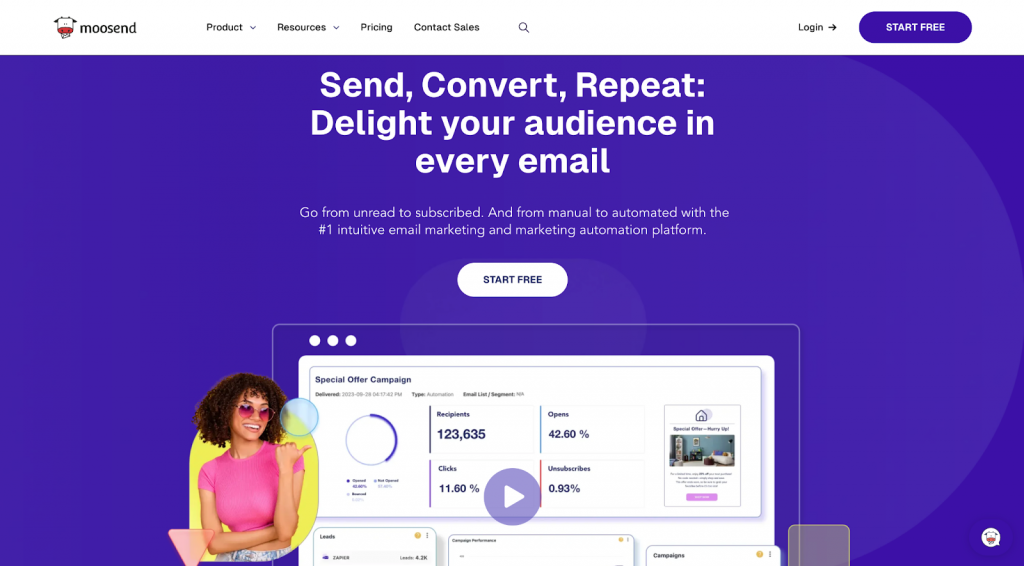
Moosend is a budget-friendly email marketing platform built for simplicity. Its drag-and-drop editor makes it easy for beginners to launch campaigns without a steep learning curve, and the built-in automation platforms help small teams run smarter workflows without lifting a finger.
What makes users rave about Moosend?
Users consistently praise how easy it is to create emails, set up automated workflows, and access detailed reports like open rates, clicks, and even geolocation. Moosend’s integrations with platforms like WordPress and Shopify also get frequent mentions.
The support team, particularly via live chat, is often described as fast and helpful. One user summed it up well: “My favorite feature is the newsletter builder, which helps me easily create newsletter templates with just dragging and dropping.”
Where does Moosend fall short?
Moosend isn’t without its flaws. The template selection is limited, and customizing them can feel clunky. Some users report bugs and slow load times & login issues come up more than once in reviews. The pricing starts low, but as your list grows, so do the costs, which some users weren’t expecting.
Email support tends to lag behind live chat, and deliverability isn’t always reliable. Emails occasionally land in spam folders. Plus, there’s no SMS marketing feature, which might be a dealbreaker for omnichannel marketers.
Who is Moosend best for?
Moosend is best for small businesses that want a simple, affordable platform to launch newsletters, nurture leads, and set up automations without needing deep technical expertise. It’s a solid pick if you’re just getting started or need a no-frills platform that covers the basics well.
Pricing:
Free plan: $0 up to 1000 subscribers with unlimited emails
Pro plan: Starts at $9/month. Pricing scales with subscriber count
Brevo
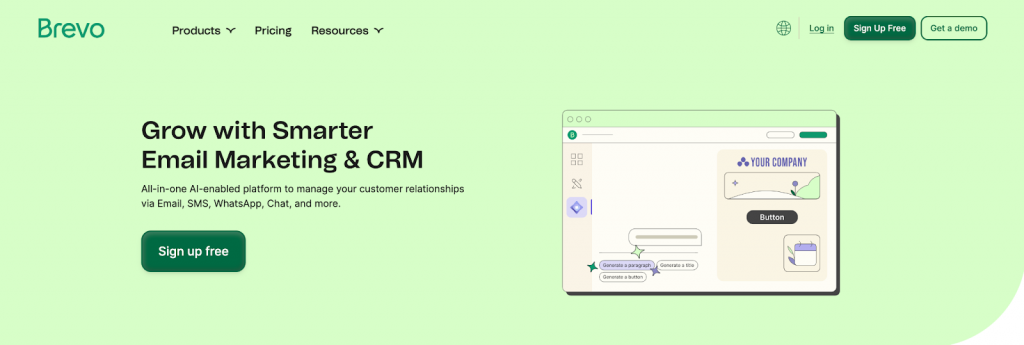
For small businesses that need solid email marketing platforms without breaking the bank, Brevo hits a sweet spot. The platform combines email, SMS, CRM, and chat features in one place without overwhelming you with complexity.
It’s popular among users who want an intuitive setup that “just works,” even if they’ve never touched automation platforms before.
What makes users rave about Brevo?
What users love most is how easy it is to launch campaigns, set up automations, and manage growing contact lists.
The interface is clean, onboarding is smooth, and unlike many competitors, Brevo doesn’t charge more just because your subscriber count goes up. Its pricing is based on emails sent, which users say makes scaling feel less punishing and more predictable.
Email automations like abandoned cart follow-ups or welcome series are quick to configure, and the visual workflow builder gets high marks for clarity.
Segmentation and tagging are flexible enough for most small business needs, and template customization is easy, making branding feel less like a chore.
Brevo’s WooCommerce integration also makes it a solid choice for ecommerce shops looking to combine transactional and marketing emails in one place.
Where does Brevo fall short?
While the free plan is generous, the paid tiers can get confusing. Some users were baffled to find features like click tracking missing from certain paid plans but available on the free one.
Others found automation chains buggy or limited, with missing triggers requiring manual fixes. Support gets mixed reviews.
Many praise quick responses for basic issues, but say complex questions often go unresolved. Reporting is another weak spot: campaign analytics are serviceable, but workflow reporting and export options are limited.
Who is Brevo best for?
For startups and small teams looking for value, Brevo is hard to ignore. It’s not perfect if you’re after advanced workflows or in-depth reporting. But for businesses trying to grow without jumping through pricing hoops, it gets the job done.
Pricing:
Free plan – $0
Lite plan – $25
Premium plan – $65
Best email marketing platform for small ecommerce businesses
Klaviyo
Klaviyo is one of the most popular email marketing tools for small businesses. It stands out for its clean interface, drag-and-drop everything, and automation flows that just work.
Whether you’re setting up welcome emails, abandoned cart nudges, or loyalty campaigns, it’s built to help you move fast without needing a developer.

What makes users rave about Klaviyo?
Users love how easy it is to get started. Beginners who want to launch their first campaigns without headaches describe it as “intuitive,”. Klaviyo’s visual flow builder and templated journeys make it easy to customize everything from triggers to design.
The segmentation features are another fan favorite, letting marketers build hyper-targeted lists based on shopping behavior, engagement, and purchase history. For Shopify users in particular, the integration is seamless.
Data syncing is automatic, and creating workflows based on storefront activity feels native to the platform.
It’s not just the interface. Users consistently report strong ROI from automations and more.
One freelancer credited it with driving 40% of their store’s sales. Another user mentioned running 20+ active flows weekly as a core part of their strategy. And when they need help, many point to solid onboarding and a well-documented knowledge base.
Where does Klaviyo fall short?
Klaviyo has some growing pains. The most consistent complaint? Pricing. As your list grows, even with inactive contacts, so does your bill.
For small businesses on tight budgets, that’s a dealbreaker. Some also flagged a steep learning curve for advanced features like complex flows or deeper segmentation.
Others found the SMS functionality expensive and missed integrations with more widely used platforms like WhatsApp.
There are also reports of glitches, from emails with missing personalization fields to random formatting bugs.
A few users mentioned deliverability issues after switching ESPs, with emails landing in spam. And while the platform has historically offered solid support, recent reviews suggest slower response times and limited availability for non-premium users.
Who is Klaviyo best for?
Klaviyo is a strong fit for small ecommerce brands that want quick wins through automation and segmentation. If you’re on Shopify, it’s one of the best platforms in the game. Just be prepared to pay more as your list scales, and keep an eye on how many contacts you’re actually engaging.
Pricing:
Free plan – $0
Email plan – $20/month for 251–500 contacts
Email and SMS plan – $35/month for 251–500 contacts
Enterprise plan – Custom pricing
Omnisend
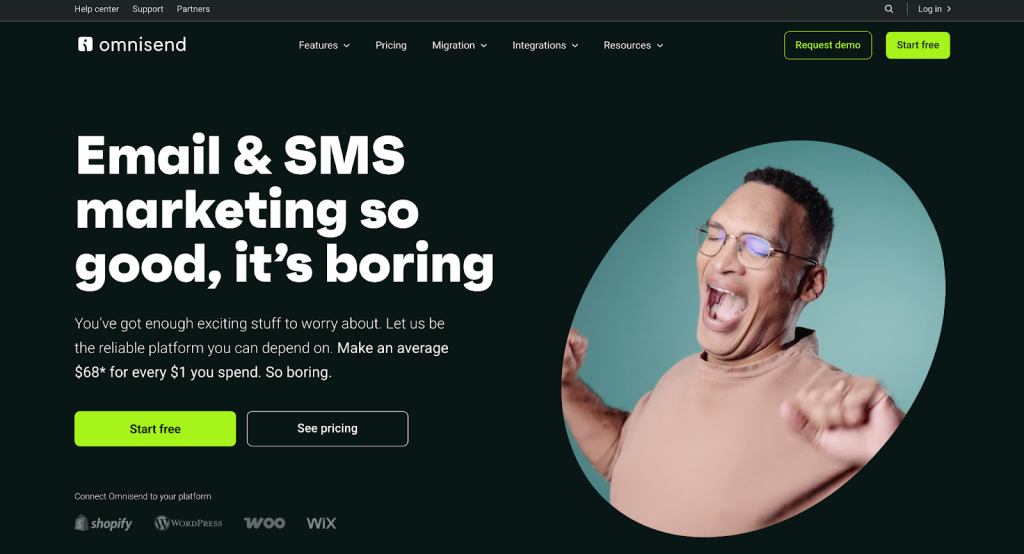
Omnisend is built with small businesses in mind. Simple to use, fast to set up, and packed with the kind of email and SMS automations that save time without sacrificing results.
It’s mainly adopted by ecommerce stores, thanks to its seamless integrations with platforms like Shopify and WordPress.
What users are raving about Omnisend?
Users consistently praise its drag-and-drop builder and pre-built automation workflows.
Even first-time email marketers report getting campaigns off the ground in minutes. “It’s very intuitive, straight to the point,” one content strategist shared. While another small business owner noted she was up and running within 10 minutes despite the language barrier.
Its automation flows, like abandoned carts, welcome series, and product review requests, are a standout. Small teams love how they “just work” once activated, quietly boosting conversions in the background.
Brands also call out the ability to personalize emails without needing a tech background, as well as polished templates that reflect their brand’s look and feel.
Customer support is another bright spot. Users describe it as responsive and human, even when relying on ticket-based systems.
And the Omnisend Academy, webinars, and help center add extra value for teams still learning the ropes of email marketing.
Where does Omnisend fall short?
When segmenting data or reviewing performance over time, users wanting deeper analytics often find reporting too basic.
Others bump into friction with Omnisend’s UI: restrictive design elements, confusing navigation, and occasional bugs when building emails. Multi-store users and those needing WooCommerce integrations also report limitations, as the platform doesn’t fully support managing campaigns across multiple domains.
For those relying heavily on SMS or working in regions with weak local currencies, pricing can become a pain point, as lists grow or businesses expand internationally.
And while Omnisend does offer robust support, a few users wish for real-time help via phone or live chat.
Who is Omnisend best for?
Omnisend is a strong choice for small businesses looking for an easy entry point into email and SMS marketing.
For those in ecommerce who want to set up effective automations fast, Omnisend is also a solution. Just be mindful of the platform’s limits around reporting, scalability, and engagement policies if your business model doesn’t involve frequent purchases.
Pricing:
Free plan – $0
Standard plan – $16/month; scales as your contact list grows.
Drip
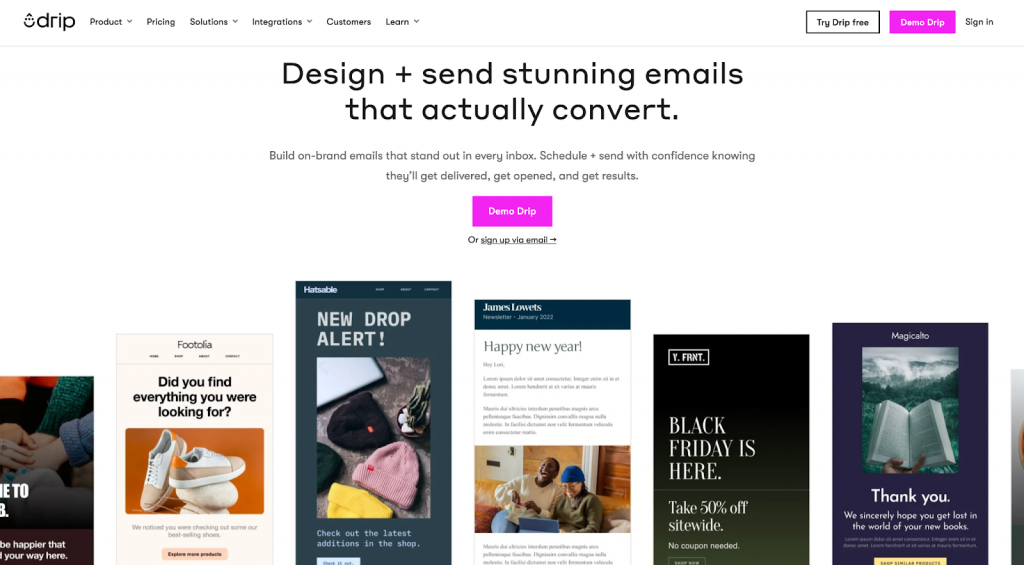
Drip is built for businesses that take email seriously. With a powerful automation engine, deep segmentation features, and solid integrations with Shopify and WooCommerce, it’s earned a loyal following among ecommerce marketers who want control without complexity.
What users are raving about Drip?
Users consistently praise Drip’s visual workflow builder, which makes it easy to create advanced sequences without writing a single line of code.
Several reviewers reported measurable improvements in campaign performance after switching, like Sasha T., who saw a 35% boost in open rates thanks to more precise targeting. The UI is clean and intuitive.
This makes day-to-day use feel less like a chore and more like progress. And for businesses selling online, Drip’s native ecommerce integrations make it easy to pull in product data, personalize campaigns, and automate abandoned cart flows without much setup.
Beyond automation, users love the platform’s flexible tagging, reliable deliverability, and detailed reporting. There’s also a robust template library to get campaigns off the ground quickly, and support when it works is described as knowledgeable and even “playful.”
Where does Drip fall short?
While powerful, it comes with a learning curve that can frustrate non-technical users. Some say getting started requires a few too many tutorials.
Pricing is another sticking point. The product is affordable for growing brands, but not exactly budget-friendly for micro-businesses. And despite its Shopify strength, reviewers flagged missing integrations with niche platforms, occasional bugs, clunky email editing, and slow or unhelpful support responses.
Others felt reporting could use more customization and complained about the lack of flexibility in managing contacts.
Who is Drip best for?
Drip is best suited for ecommerce businesses or marketers with automation experience who want deeper control over their campaigns.
If you’re new to email marketing or not selling online, simpler platforms like Mailchimp or ActiveCampaign might offer a smoother start.
Pricing:
Free plan – $0. Up to 100 subscribers with limited features.
Basic plan – $39/month for 2500 subscribers
Pro plan – $99/month for 5,000 subscribers
Advanced plan: Custom pricing for over 150,000 subscribers
Best email marketing platform for powerful workflow automation
ActiveCampaign
ActiveCampaign is one of the most powerful email marketing platforms on the market – and it shows.
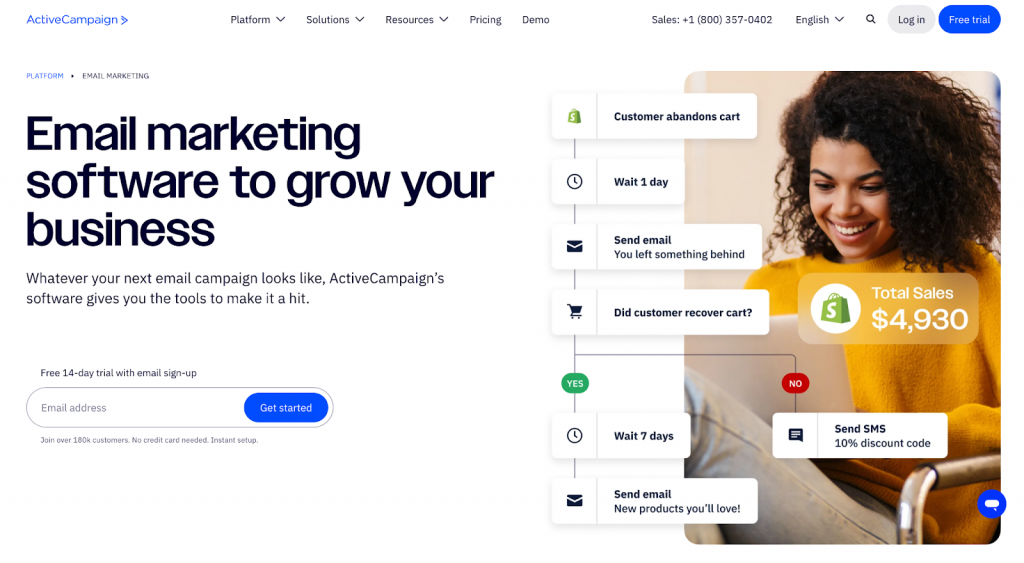
It goes beyond basic automation to offer advanced workflows, multilingual support, and integrated AI platforms that help small businesses deliver smarter campaigns without doing the heavy lifting themselves.
What users are raving about ActiveCampaign?
Users love how robust the automation builder is, given the massive library of pre-built workflows that span industries and use cases.
The platform’s built-in AI can generate email content, optimize send times, and even build workflows for you based on a simple prompt. If you’re targeting a global audience, it’s one of the few platforms that supports multilingual workflows out of the box, with options in Portuguese, French, German, Spanish, and Italian.
Where does ActiveCampaign fall short?
That said, it’s not for everyone. Some users find it a bit too complex for basic needs, and the lack of form templates is a surprising gap for a platform this sophisticated.
Also, key AI features like predictive sending are only available in the higher-priced tiers, which might stretch the budget for smaller teams.
Who is ActiveCampaign best for?
If your small business has ambitious marketing goals and you don’t mind a bit of a learning curve, ActiveCampaign delivers serious automation muscle.
But if you’re just getting started or want something more lightweight, it might feel like more than you bargained for.
Pricing:
Starter plan – $15/month
Plus plan – $49/month
Pro plan – $79/month
Enterprise plan – $145/month
Mailchimp
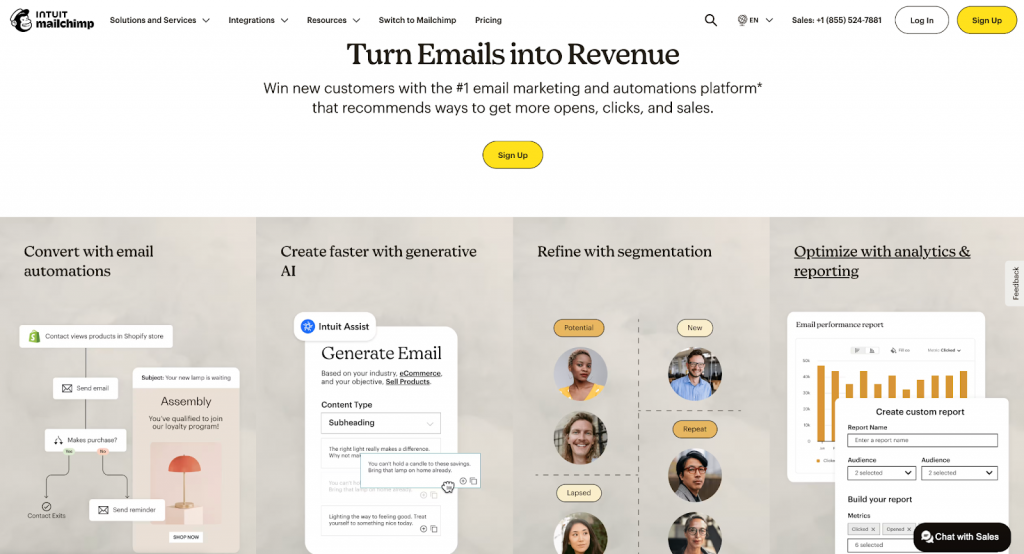
Mailchimp is often the first name that comes up when small businesses look for an email marketing platform. It’s a well-rounded platform that combines ease of use with just enough sophistication to support growing marketing needs.
What makes users rave about Mailchimp?
Users love how quickly they can get started. The drag-and-drop builder makes designing newsletters easy, even for someone sending their very first campaign.
It’s got solid pre-built templates, reusable content blocks, and a clean interface that feels approachable but capable. Audience segmentation and tagging are another highlight: small businesses appreciate being able to target different groups without needing a crash course in data logic.
Mailchimp also earns points for its built-in automation, like sending welcome sequences and basic drip campaigns.
The platform’s analytics help users make sense of what’s working, and many say the free tier offers just enough to get a small business off the ground.
Where does Mailchimp fall short?
But that friendliness comes with caveats. Some users mention hitting roadblocks once they try more advanced automation or deeper customization.
There’s a recurring theme of “intuitive, but then it gets tricky.” Templates, while polished, feel a bit limited for those who want more creative freedom. And Mailchimp’s pricing structure can be confusing. Users are often surprised to find that must-have features live behind higher tiers.
Who is Mailchimp best for?
Overall, Mailchimp is a solid choice for small businesses getting serious about email without diving headfirst into complexity. Just know that as your list grows, you’ll probably outgrow the free plan faster than expected.
Pricing:
Free plan – $0/mo; limit of 500 contacts
Essentials – $13/mo for 500 contacts
Standard – $20/mo for 500 contacts
Premium – $350/mo for 10,000 contacts
Constant Contact
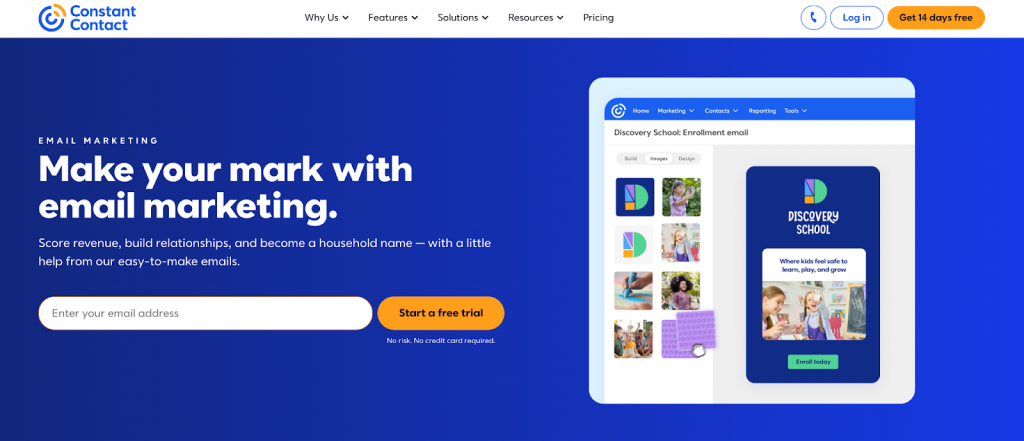
Constant Contact is one of the most approachable email marketing platforms out there. Super helpful if you’re new to digital marketing or managing things solo.
Its intuitive drag-and-drop editor, clean interface, and simple campaign builder make it easy for anyone to create good-looking emails without much fuss.
What users are raving about Constant Contact?
Users consistently highlight how easy it is to get started, even for non-technical teams. From setting up newsletters to running bi-weekly campaigns, it handles the basics with reliability.
The customer support also gets high marks. Many mention how responsive and patient the team is when things go sideways.
For small businesses running events, the built-in platforms for RSVPs, follow-ups, and even printing name tags are a pleasant bonus.
Automation features, while not the most advanced, are helpful enough to keep clients engaged with minimal effort. And its integrations with social media, particularly Facebook, make it easier to keep marketing consistent across channels.
Where does Constant Contact fall short?
The price ramps up quickly as your contact list grows, which a lot of users flag as a major concern.
Designers and brand-focused users find the templates limiting, with not enough room to fully customize layouts or match brand styles.
And while some users rave about support, others report long waits, limited access, or unhelpful responses. So your mileage may vary.
Tech hiccups crop up too: system downtime, clunky mobile formatting, and the occasional AI glitch can throw off an otherwise smooth experience.
Plus, managing contacts can feel awkward, with limited options for organizing or filtering segmented lists. When trying to remove accounts or avoid unexpected charges, billing and cancellation issues were another sore spot for a few users.
Who is Constant Contact best for?
Constant Contact is best suited for small businesses and nonprofits that want a reliable platform to manage their email marketing.
If you’re looking for something that works out of the box and doesn’t need advanced automation or deep integrations, it gets the job done. But if your team is growing fast or your campaigns need sharper personalization and analytics, you may want to look at more flexible options like Mailchimp or ActiveCampaign.
Pricing:
Lite plan – $12/month for up to 500 contacts.
Standard plan – $35/month for up to 500 contacts
Premium plan – Starts at $80/month for up to 500 contacts
GetResponse
GetResponse is a versatile, affordable email marketing platform ideal for small to medium businesses, beginners, and ecommerce marketers who value ease of use, automation, and landing page creation. Its high deliverability and responsive live chat support are major pluses.
However, strict list management policies, occasional glitches, and limited advanced features on lower plans may frustrate larger businesses or those needing complex integrations.

What users are raving about GetResponse?
What users love most is how easy it is to get started. The drag-and-drop editor, clean dashboard, and AI-assisted builders make it simple to create emails and landing pages fast.
Many also point to its reliable automation features, like autoresponders and drip campaigns, that make customer nurturing feel nearly hands-free. Live chat support gets frequent praise for being responsive and helpful. Most users also report strong deliverability out of the box.
Plus, the free plan and affordable entry-level pricing are a draw for startups trying to do more with less.
Where does GetResponse fall short?
Some users feel the lower-tier plans are too limited, with essential features like advanced segmentation, predictive sending, and more powerful automations locked behind pricier plans.
Others mention issues with the platform’s strict list hygiene policies. There are multiple reports of lists being flagged or purged without much clarity.
A few users have also hit snags with occasional bugs, long login times, or slow customer service responses when issues get more technical. And while it integrates with major platforms like WordPress and Google Analytics, niche integrations can be a pain.
Who is GetResponse best for?
For small businesses looking for a budget-friendly email marketing suite with strong automation and a user-friendly interface, GetResponse hits the mark. But teams with large, complex lists or a need for advanced workflows may find themselves bumping into its limitations sooner than they would like.
Pricing
Free plan – $0
Email marketing plan – $19/month for 1,000 contacts
Marketing automation plan – $59/month for 1,000 contacts
ecommerce marketing plan – $119/month for 1,000 contacts
Best email marketing platform for an all-in-one solution
HubSpot
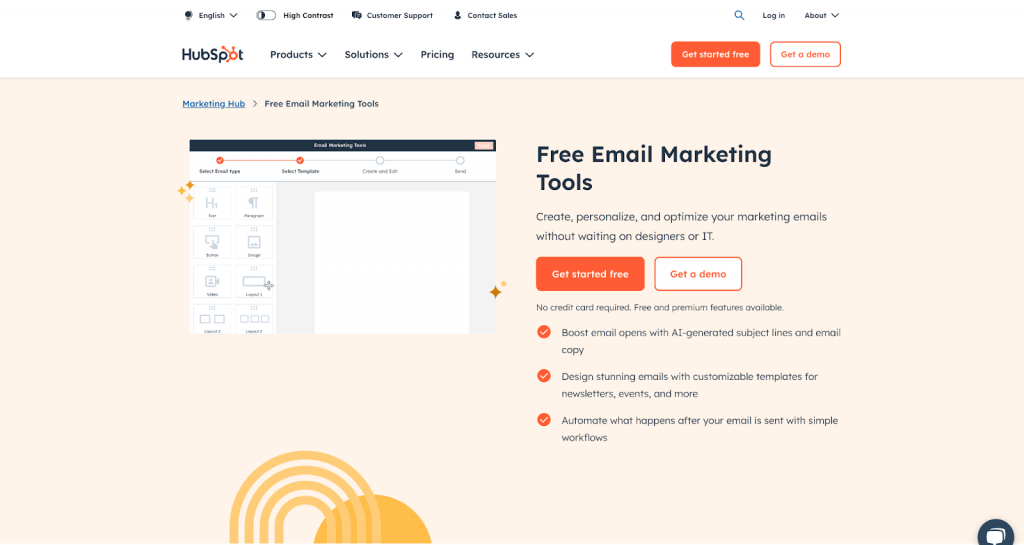
HubSpot may be one of the most recognized names in email marketing – and for good reason. It brings email, automation, CRM, landing pages, social media, and reporting under one roof, helping small teams run full-scale campaigns without juggling multiple platforms.
Everything talks to each other, which means fewer manual handoffs and better campaign tracking.
What users are raving about HubSpot?
Users love how intuitive it is to get started. The drag-and-drop builder makes it easy to set up emails, forms, and workflows.
Onboarding is smooth, and the platform’s tutorials and community support go a long way in helping new marketers hit the ground running. The automation capabilities also stand out.
Teams regularly point to how much time they save by setting up email sequences, follow-ups, and lead scoring that run in the background.
What makes HubSpot attractive is how it scales. You can start small, and as your business grows, unlock more platforms across marketing, sales, and customer service. Reporting is also a big win here.
Users rely on live dashboards and detailed campaign insights to optimize what’s working and justify spending.
Where does HubSpot fall short?
But for small businesses, the biggest sticking point is price. While there’s a free plan and a $9/ 9/month Starter tier, most of the powerful features – including advanced automation and reporting – are locked behind the $800/month Professional plan. Many users feel the pricing ramps up fast and isn’t always flexible.
Especially when you’re charged for every contact, even inactive ones. The jump between tiers is often described as “steep,” with a cost structure that can feel confusing.
Design flexibility is another issue. While basic emails are easy to build, some users find the customization options limited unless you’re comfortable with code.
The WYSIWYG editor can also get buggy when building more complex layouts. And while integrations are generally strong, there are reports of hiccups when connecting with less mainstream platforms.
Who is HubSpot best for?
HubSpot is best suited for small businesses that want a centralized system and plan to scale fast. It’s ideal if you’re already investing in other areas of marketing and want your CRM, email, and automation tied together in one place. But if you’re on a tight budget or only need basic automation, we would suggest starting elsewhere before making the leap.
Pricing
Free plan – $0
Marketing Hub Starter – $9/mo/per seat
Starter Customer Platform – $9/mo/seat
Marketing Hub Professional – $800/month
Keap
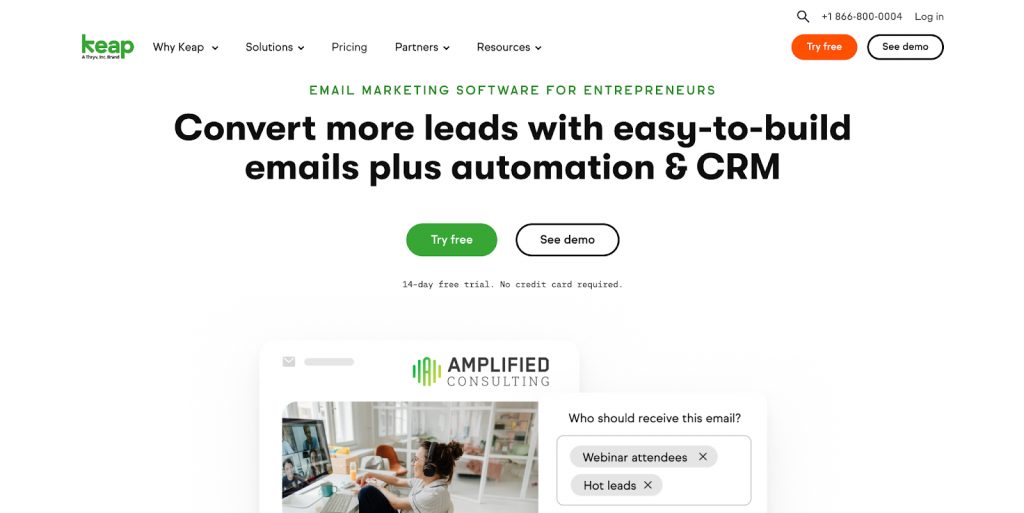
Keap is a powerful email marketing and CRM platform designed to help small businesses automate campaigns, manage contacts, and build predictable sales pipelines. What sets it apart is its automation engine. Users frequently highlight how it saves them time by handling follow-ups, lead capture, scheduling, and nurturing with minimal effort.
What users are raving about Keap?
Small business owners and marketers love Keap’s visual campaign builder, which makes it easy to map out detailed customer journeys, and the platform’s ability to centralize CRM, email, SMS, and pipeline management in one place.
Many describe it as a serious step up from beginner CRMs, customizable, flexible, and scalable enough to build complex funnels or automated workflows. Others appreciate the tight Zapier integrations and robust segmentation platforms for targeted outreach.
That said, Keap isn’t the easiest platform to get started with. While the automation possibilities are vast, the platform’s interface and overall user experience come with a steep learning curve.
Several users note that even with documentation and tutorials, it can take a while to feel confident building out campaigns. Cost is another frequent concern. With the entry-level plan starting at $299/month, it is an investment that may be difficult to justify for early-stage businesses or solo founders.
Where does Keap fall short?
Some users also report that parts of Keap feel dated. The email builder and landing page editor lack polish compared to modern alternatives, and features like invoicing, task search, or subscription handling don’t always work as expected.
Glitches, particularly with integrations like Stripe or Zapier, can interrupt workflows, and customer support, while often praised, has been described as inconsistent
Who is Keap best for?
Small businesses ready to invest time into mastering the platform, Keap offers impressive automation depth that can scale with growth.
It’s best suited for teams who want a unified system to manage email marketing, lead capture, client communications, and sales funnels – all under one roof. Just be sure to test-drive the features that matter most to your business before committing..
Pricing:
Pricing starts at $299/month
Best email marketing platform for scalable businesses
SendGrid
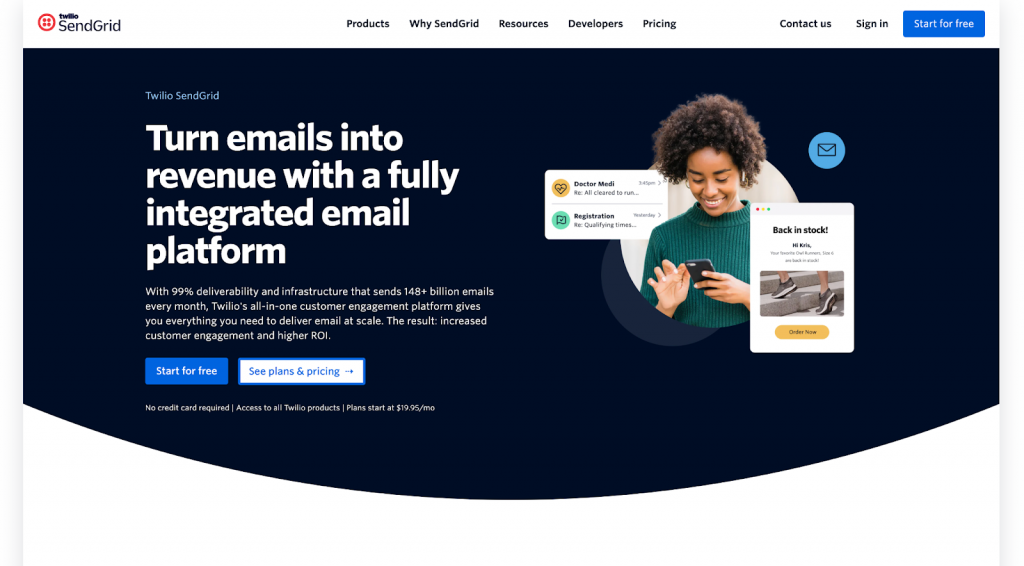
SendGrid is built for technical teams that want precision and control. It’s known for its rock-solid API and standout deliverability, making it a favorite for developers running transactional emails like password resets or billing notifications.
If you’re looking to automate at scale and have in-house engineering support, this one delivers, literally.
What users are raving about SendGrid?
Users love how easy it is to integrate SendGrid into their workflows. The API is well-documented, intuitive, and flexible, which makes setup smooth for teams working with frameworks like Laravel or React.
Deliverability is another strong suit. Many users say their emails land reliably in inboxes, not spam folders. And the platform offers detailed analytics that help teams track open rates, clicks, and deliverability at scale.
SendGrid also scores points for its free tier — up to 1,000 emails/month. This is ideal for small businesses just getting started. Its ability to handle high-volume sends without hiccups makes it a scalable option for growing businesses and enterprise users alike.
Where does SendGrid fall short?
The experience isn’t all smooth sailing. Customer support is a recurring pain point, with many users describing it as slow, unresponsive, or flat-out unhelpful.
Some have reported sudden account closures with little explanation, which can be a nightmare if you’re mid-campaign. Pricing is another sticking point. Users often find it confusing and say it jumps quickly as their needs grow.
Non-technical users might also struggle. The email builder is limited, list management feels clunky, and there is a learning curve if you’re not already familiar with email infrastructure.
Basic marketers looking for drag-and-drop campaign builders, A/B testing, or advanced segmentation platforms may feel boxed in.
Who is SendGrid best for?
If you’re a data-driven team that values control, deliverability, and strong developer platforms, SendGrid could be a good fit. But for small businesses that want full-featured marketing automation or more hands-on support, options like Mailchimp or Brevo may be more user-friendly.
Pricing:
Free plan – $0
Essential plan – $19.95/month for 50,000 emails.
Pro plan – $89.95/month for 100,000 emails
Premier plan – Custom pricing for high-volume or enterprise needs
Mailmodo
Mailmodo is carving out a space for itself by doing what most email platforms don’t – bringing interactive AMP emails to the mainstream. Small businesses love it for how easy it is to get started, how fast the support team jumps in, and how well their emails actually perform.
What users are raving about Mailmodo?
Users consistently praise how beginner-friendly Mailmodo is. The interface is clean, the drag-and-drop editor works without a hitch, and even the onboarding feels like someone’s guiding you by the hand. First-time marketers say they’re able to send polished campaigns quickly, without needing a designer or developer.
Where Mailmodo really wins hearts, though, is support. It’s not just fast and available, it’s proactive. Small businesses often mention having a dedicated rep who actually listens, solves issues fast, and passes feedback along to the product team (which, more often than not, acts on it).
Its standout feature is AMP emails. This feature lets recipients fill out forms, book meetings, or respond to polls right inside the email. That kind of interactivity boosts engagement noticeably, especially compared to static campaigns. Users switching from Mailchimp or Klaviyo call this a game-changer.
Templates are easy to customize and reuse, and the platform connects with commonly used platforms. Many businesses note that they saw improvements in deliverability and open rates shortly after switching.
Where does Mailmodo fall short?
Some users feel limited by the AMP customization options and want more flexibility in building their own widgets.
Others note a few missing basics, like advanced send-time optimization or SMS campaign support. Contact management used to be clunky, but Mailmodo has improved it. Still, users would love to see deeper integrations and easier migration from other platforms.
There are rare hiccups. Occasional email rendering issues, buggy analytics, or slow AMP approvals. But these are infrequent and usually resolved quickly by support.
Who is Mailmodo best for?
If you’re a small business with interactive elements looking for a fresh take on email and you value fast support and great onboarding, Mailmodo is worth a serious look. Just be ready to spend a little time figuring out the advanced stuff, or lean on your rep to walk you through it.
Pricing
Lite plan – $149 /month for 2,500 contacts
Pro plan – $199 /month for 2,500 contacts
Max plan – $379/month for 2,500 contacts
| Use Insider to unify experiences, personalize Email and SMS campaigns.Watch our interactive demo |
FAQs
An email marketing platform is a platform that helps you send messages to your audience at scale. But it’s more than just a bulk sender. It’s how you segment lists, automate campaigns, track engagement, and stay connected with customers through their entire journey. The best platforms also give you templates, analytics, and integrations with your other platforms, so you’re not just sending emails. You’re building relationships that convert.
There’s no one-size-fits-all answer. It depends on your business needs. Some platforms are great for simplicity, others for advanced automation or ecommerce-specific features. That said, platforms like Insider stand out for brands ready to go beyond basic email. With powerful personalization, multi-channel automation, and enterprise-grade analytics, it’s built for companies that want to grow fast and smart.
Prices can vary a lot depending on your contact list size, features, and growth plans. Entry-level plans often start around $10–$30/month for small lists, while more advanced platforms (especially those with automation and personalization features) can run into the hundreds or thousands monthly. The key is choosing a platform that scales with your business, without locking essential features behind high tiers.
At a minimum: a solid drag-and-drop editor, automation workflows, segmentation platforms, and reliable deliverability. If you’re thinking ahead, look for deeper personalization, real-time analytics, multi-channel capabilities (like SMS or push), and integrations with your CRM or ecommerce platforms. Platforms like Insider bring all of that together, so your marketing stays connected and customer journeys feel seamless.
From solo founders to enterprise marketing teams, there’s something for everyone. Smaller businesses often prioritize ease of use and cost-effectiveness, while larger brands may need omnichannel orchestration and advanced automation. Some platforms (like Insider) are purpose-built for teams that want to scale and deliver personalized messaging across email, SMS, and beyond.
Absolutely. Even with all the new channels popping up, email remains one of the highest ROI marketing platforms out there. It’s permission-based, personal, and direct. The trick is doing it well using segmentation, personalization, and automation to send the right message at the right time. The good news? Modern platforms make this easier than ever.
For small businesses, the best email platform is one that balances affordability with powerful features. You want a platform that’s easy to use, doesn’t nickel-and-dime you on sends or contacts, and gives you room to grow. platforms like Mailmodo, Omnisend, and ActiveCampaign are popular here, but if you’re planning for long-term growth and multi-channel engagement, it’s worth exploring platforms like Insider early on.
Start small. Choose a platform that fits your current needs, create a signup form, and build your list with intent. From there, send a simple welcome email, set up a basic newsletter, and experiment with segmentation or automation as you go. The key is consistency. Get in the habit of sending valuable, well-timed content. As your audience grows, so can your strategy (and your platform).
While Mailchimp is used globally, UK-based businesses often explore platforms like Mailjet or Moosend for localized pricing and support. That said, international platforms like Insider also offer strong support and regional compliance, making them a solid fit for UK businesses ready to scale beyond newsletters.
Mailchimp is a US company, so technically, it is the US equivalent. But for businesses looking for more advanced features or better support as they grow, other US-based platforms like ActiveCampaign or ConvertKit often come into play. And for brands that want to go beyond email into full customer journey orchestration, Insider is a strong contender with global reach and enterprise capability.
Platforms like Brevo and MailerLite have made a name for themselves in the European market thanks to GDPR compliance, multi-language support, and competitive pricing. For brands operating across multiple regions or looking for a European-friendly platform with more advanced capabilities, Insider is worth considering. With localized data centers, multilingual support, and enterprise-grade automation, it’s a natural fit for global businesses.