9 Automated Email Workflows (Examples + Best Practices)

Updated on 10 Sep 2025
Table of Contents
- 9 automated email workflow examples to inspire your next campaign
- Best practices for email workflow automation
- 1. Define your goal before you write a single word
- 2. Segment like your results depend on it (Because they do)
- 3. Map your workflow to the customer journey
- 4. Send emails when they matter, not just when you feel like it
- 5. Measure the impact (Because you can’t improve what you don’t track)
- 6. Test and optimize regularly
- 7. Prioritize relationship building. Sell less, connect more
- Build high-converting email workflows with Insider
Most Popular
Everyone tells you email automation is about “saving time.”
That’s a lie or at least a half-truth.
If all you’re doing is freeing up a few hours, you’re playing small. The real power of automation is running dozens of campaigns at once, in real time, personalized for every lead in your database.
In this guide, we’ll show you the actual automation workflows our top-performing customers use—the ones that work in the real world, not just in theory.
You’ll learn:
- Tips on sending timely product recommendations that convert window shoppers into buyers.
- Best practices that will double your customer winning chance and revenue.
We’ll start with nine simple but powerful workflows you can launch in days and drive ROI across your entire funnel.
9 automated email workflow examples to inspire your next campaign
1. Welcome email workflow
Most brands treat welcome emails like a handshake at a crowded conference, which is quick, forgettable, and read the same to everyone.
That’s a wasted opportunity.
A high-performing welcome sequence is the fast lane to your first sale. Instead of sending one generic email, build a 3–5 step automated journey that adapts to each subscriber’s actions.
That way, you’re guiding them to their first “add to cart.”
Example: Remix’s 3-Step Welcome Journey
- Day 7: If a new subscriber hasn’t purchased, they get an email showing how to save their favorite search filters, so the platform starts feeling personal, fast.
- A few days later: A follow-up showcases top brands on the site and how to “favorite” them—making the browsing experience addictive.
- Final push: A money-saving tip on how to combine orders for bigger savings.
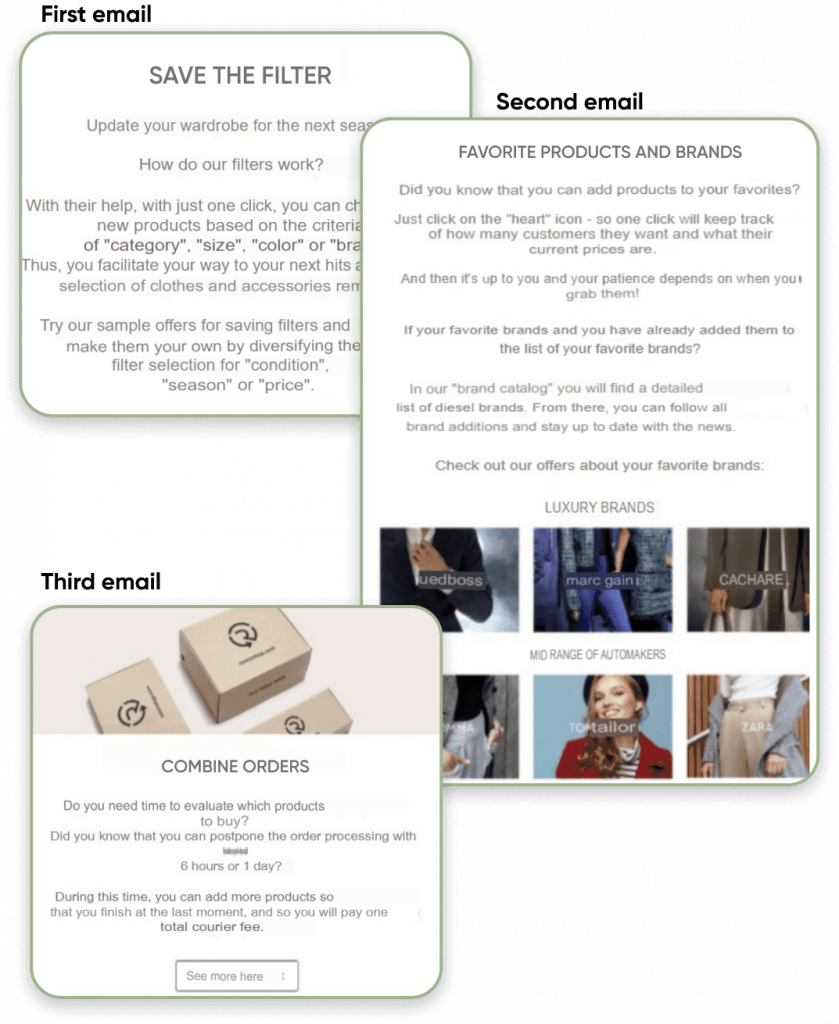
This campaign resulted in a 104% increase in first purchases compared to the previous quarter.
Tips to make it work for your brand:
- Segment from the start. Don’t dump everyone in the same bucket.
- Build “if this, then that” paths so the content changes based on behavior.
- Front-load value—give them a reason to keep opening before they start ignoring you.
2. Re-engagement workflow
Every email list has its silent scrollers.
People who haven’t opened, clicked, or bought in weeks. Left unchecked, they hurt your deliverability and waste your marketing budget.
Re-engagement workflows give you a chance to tap them on the shoulder with something they can’t ignore: relevant, timely, personal.
Example: NA-KD’s personal approach
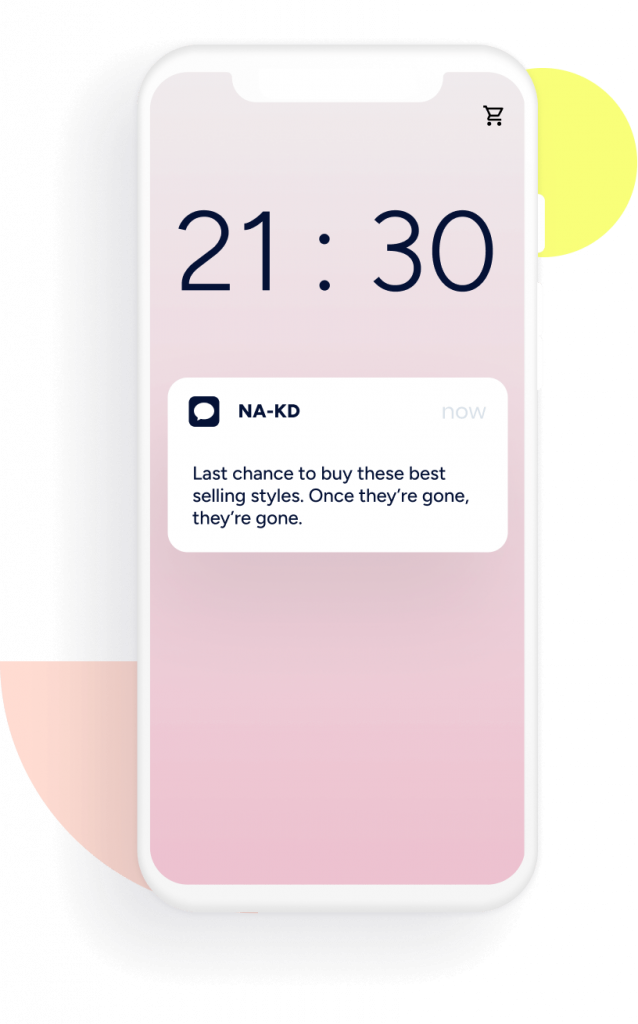
- Sent targeted messages based on what shoppers actually browsed or bought.
- Nudged them with “your favorites are back in stock” or “new drops in your go-to category.”
- Result: Higher click-throughs without the cringe factor of over-personalization
Tips to make it work for your brand:
- Personalize beyond the first name—reference their last action or favorite category.
- Create urgency by pointing out what’s new or back in stock.
- Time it right—usually 30–90 days after inactivity, depending on your product lifecycle.
- Automate with behavior-based triggers so it always feels relevant.
3. Abandoned cart workflow
Cart abandonment is where eCommerce revenue goes to die, unless you have an automation ready to revive it.
An abandoned cart workflow is your second (and sometimes third) chance to remind shoppers why they wanted the item in the first place—and make it ridiculously easy to complete the purchase.
Example: Insider’s cart recovery playbook:
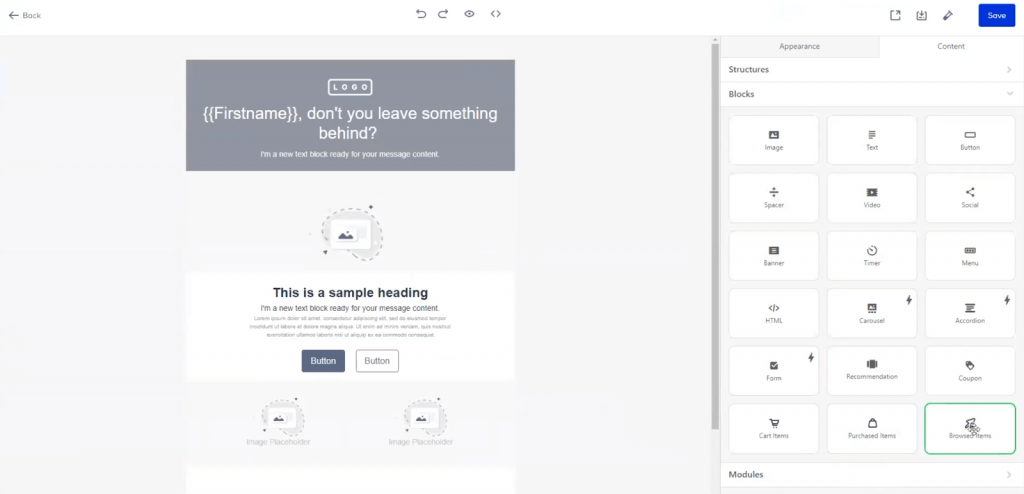
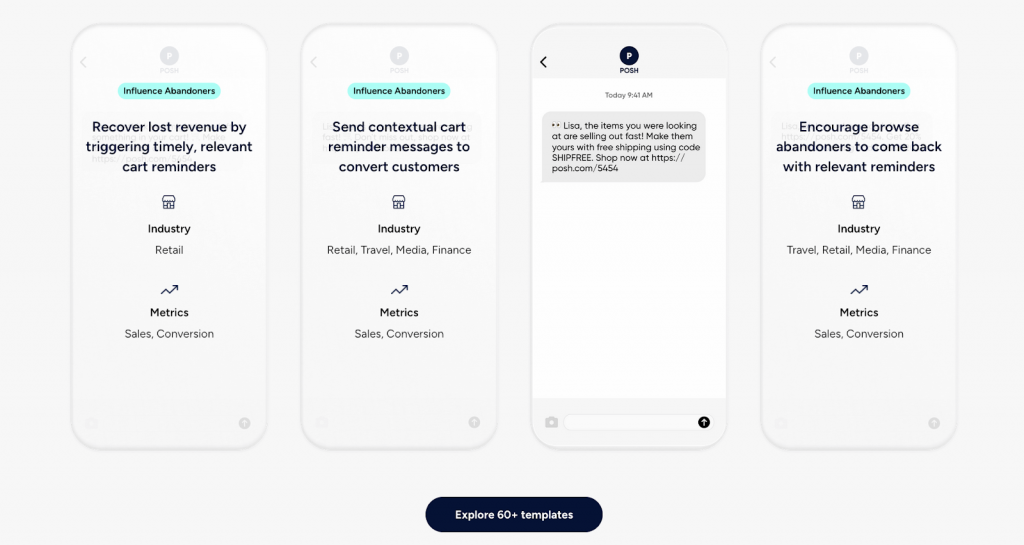
- Automatically creates a segment of cart abandoners.
- Pulls in the exact items they left behind—so the email feels like a reminder, not a generic ad.
- Sends across multiple channels (email, push notifications, WhatsApp) for maximum visibility.
Tips to make it work for your brand:
- Use images of the exact items abandoned.
- Offer a small incentive only if they don’t convert after the first reminder (protects margin).
- Test timing. Sometimes sending within 1 hour works better than waiting a full day.
- Keep the copy short and action-focused—no one needs a lecture when they’re halfway to checkout.
4. Pre- and post-purchase feedback workflow
A sale is not the end of the journey; it’s the start of a relationship. Pre- and post-purchase workflows help you keep the momentum going, collect valuable feedback, and find new opportunities for upsells.
Stages to automate:
- Order confirmation: The instant trust-builder. Let customers know you’ve got their order and it’s on the way. Include a tracking link as soon as it’s available.
- Pre-shipment upsell: While the order is still processing, offer a complementary product that can ship in the same box. Saves you shipping costs and boosts average order value.
- Shipping confirmation: Send real-time updates with tools like AfterShip to cut “Where’s my order?” support tickets.
- Post-delivery check-in: Wait a few days, then ask: “How’s your order?” Use this moment to:
- Gather zero- and first-party data via quick surveys.
- Offer size exchanges or support proactively.
- Invite them to share reviews or UGC.
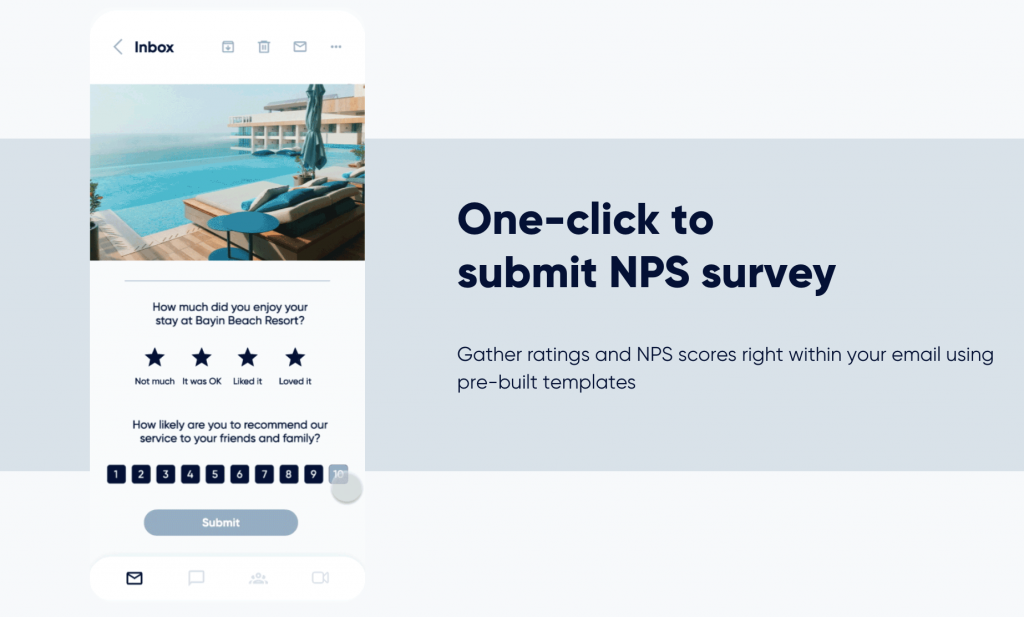
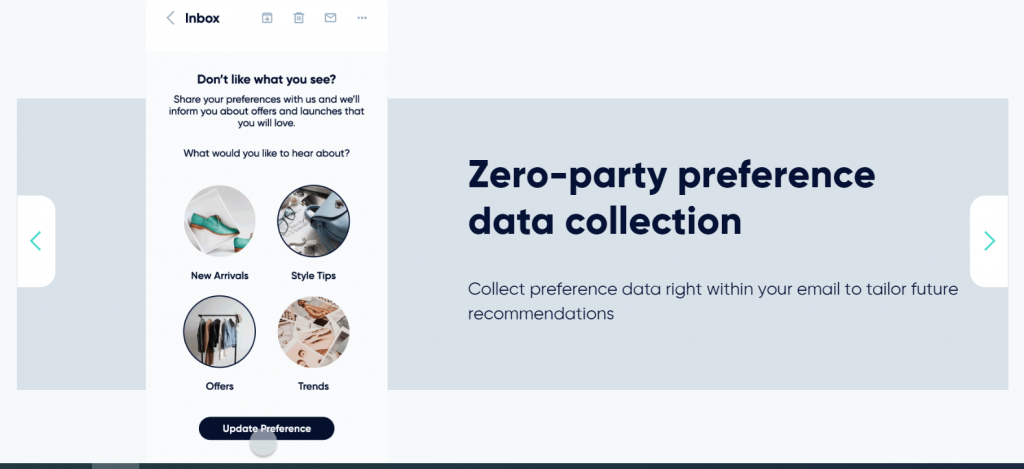
Pro tip: Use AMP emails so customers can answer surveys directly inside the email. You can even use AMP pre-purchase to ask what products or content they care about, so every follow-up feels hand-picked.
5. Targeted price drop & back-in-stock alerts
Most shoppers don’t stop buying because they don’t want the product. They stop because the timing isn’t right and the price feels too high, or the item’s out of stock.
That’s where this workflow earns its keep.
By tapping into Insider’s automatic data collection on browsing behavior, wishlists, and product views, you can trigger an instant, personalized alert the moment a customer’s “almost purchase” becomes available, whether that’s:
- A favorite product returns to stock before they go hunting for alternatives.
- A price drop on something they’ve been eyeing, delivered while the excitement is still fresh.
With predictive segmentation, you can go deeper. Target only high discount-affinity customers — the ones proven to act when the price moves — so you’re not giving away margin to people who’d happily pay full price.
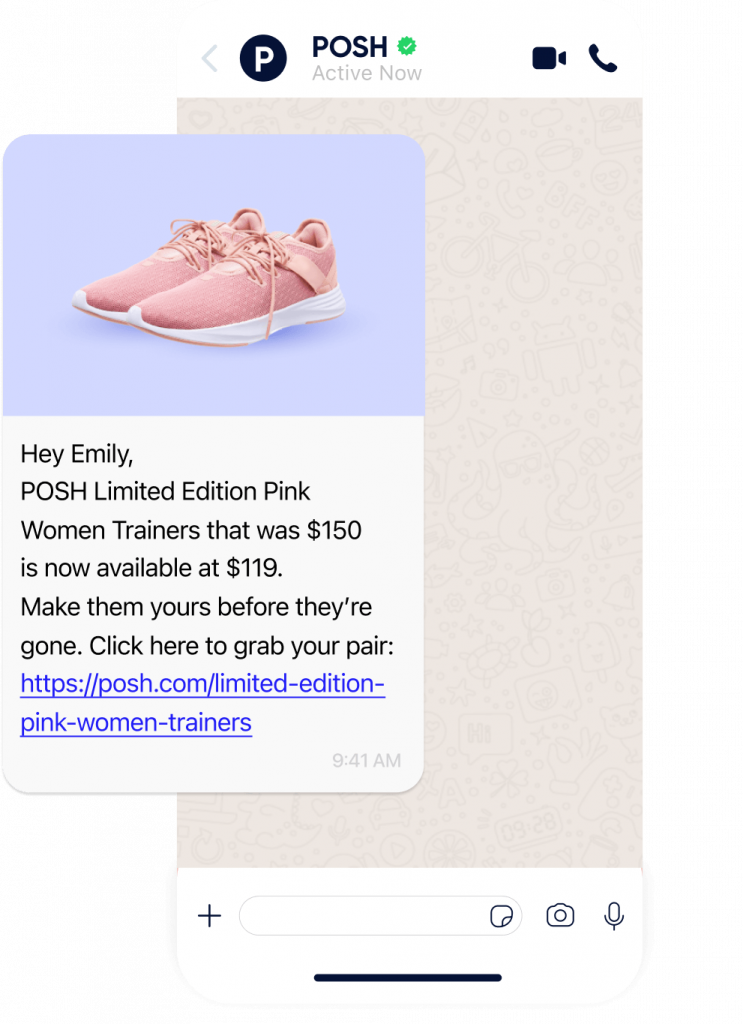
Why it works: The customer feels seen. The timing feels uncanny. And because the trigger is tied directly to their own behavior, the chance of a click-through skyrockets.
6. Win-back workflow
Losing a customer’s attention is easy. Winning it back is where most brands give up too early.
A win-back email speaks directly to dormant subscribers, the people who once clicked, purchased, or browsed, but haven’t touched your emails or store in months.
When done right, it’s a reminder that you noticed their absence and you want them back.
The anatomy of a high-performing win-back:
- Urgent subject line: “Last Chance” and “Final Call” work because they frame this as the subscriber’s moment to decide.
- Past purchase callbacks: Remind them what they bought — it’s proof you’re not sending generic blasts.
- Acknowledgement of the gap: “It’s been 143 days since your last visit” isn’t just a stat — it’s a nudge.
- A reason to re-engage: Discount, free shipping, or exclusive early access.
- A clear next step: CTA sits right beside the incentive.
- An exit door: Let them unsubscribe — paradoxically, it makes re-engaging feel more like a choice than a push.
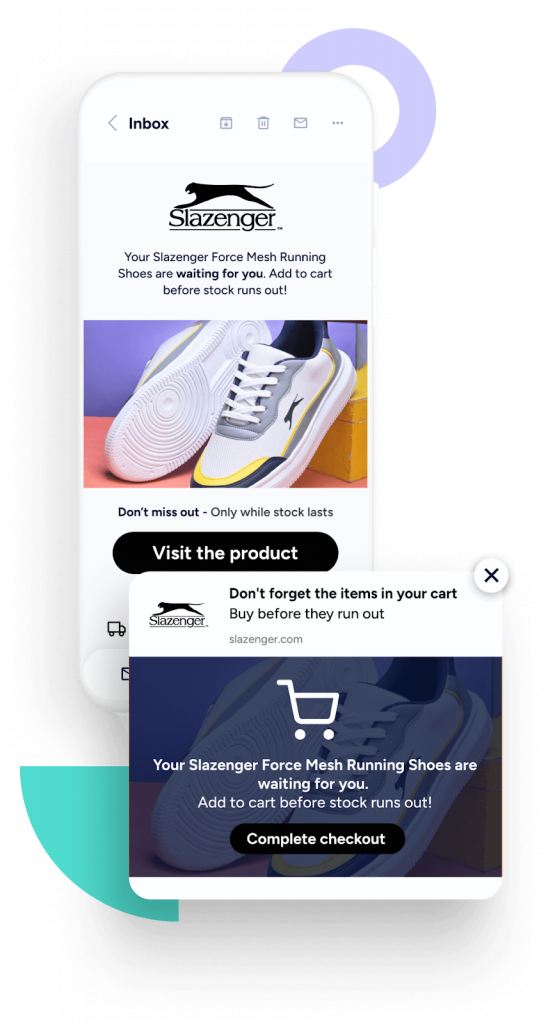
Example: Slazenger used Insider’s Architect + Sirius AI to find price-sensitive browsers and only send them price drop incentives when relevant. Result? No wasted discounts, faster re-engagement, and conversions within 24 hours of the price change.
7. Reward & loyalty workflow
Retention isn’t built on one-time coupons. It’s built on moments that make customers feel like insiders.
A loyalty workflow keeps your best customers in the loop — not just about rewards, but about the game of earning them.
What to include:
- Immediate wins: “You’ve unlocked 500 points” hits harder than “You’re earning rewards.”
- Long-term perks: Free shipping, deeper discounts, or exclusive products.
- Clear spend-to-reward ladders: “Spend $50 more to reach Gold status” turns shopping into progress
- Variety: Not everyone wants a discount — mix in gifts, early drops, or members-only events.
Pro tip: Gamify it. Let customers set their own reward goals, choose their redemption, and climb through tiers that feel like milestones. This doesn’t just increase spend — it creates a reason to check in, which is the heartbeat of loyalty.
8. Birthday & anniversary workflow
Few emails cut through like a birthday surprise, especially when it’s more than a generic “Happy Birthday.”
Automated birthday flows let you deliver perfectly timed offers that feel personal and celebratory. With Insider, you can pull the exact date from your CRM and trigger:
- A gift a few days early so they can plan to use it.
- A follow-up before it expires — urgency drives clicks.
Tips to make it work for your brand:
- Keep it simple: One offer, one CTA, zero clutter.
- Personalize the message so it feels crafted, not automated.
Extend the flow with a “last chance” follow-up.
Why it works: It’s not just a discount, it’s a recognition of the customer as more than a transaction. That human touch makes it memorable, and memorable means repeat business.
9. Purchase confirmation workflow
The moment a customer clicks “buy” isn’t the end of the transaction; it’s the start of their post-purchase experience.
That’s why confirmation flows aren’t just a box to tick; they’re your first chance to prove the trust they’ve placed in you was worth it. Most eCommerce platforms already send an automated confirmation email.
But here’s the catch: inboxes are crowded, and customers expect more than a generic “Thanks for your order.” They want instant reassurance and clarity on the channel they check most.
With Insider, you can take that reassurance beyond email.
Trigger a WhatsApp message with delivery details.
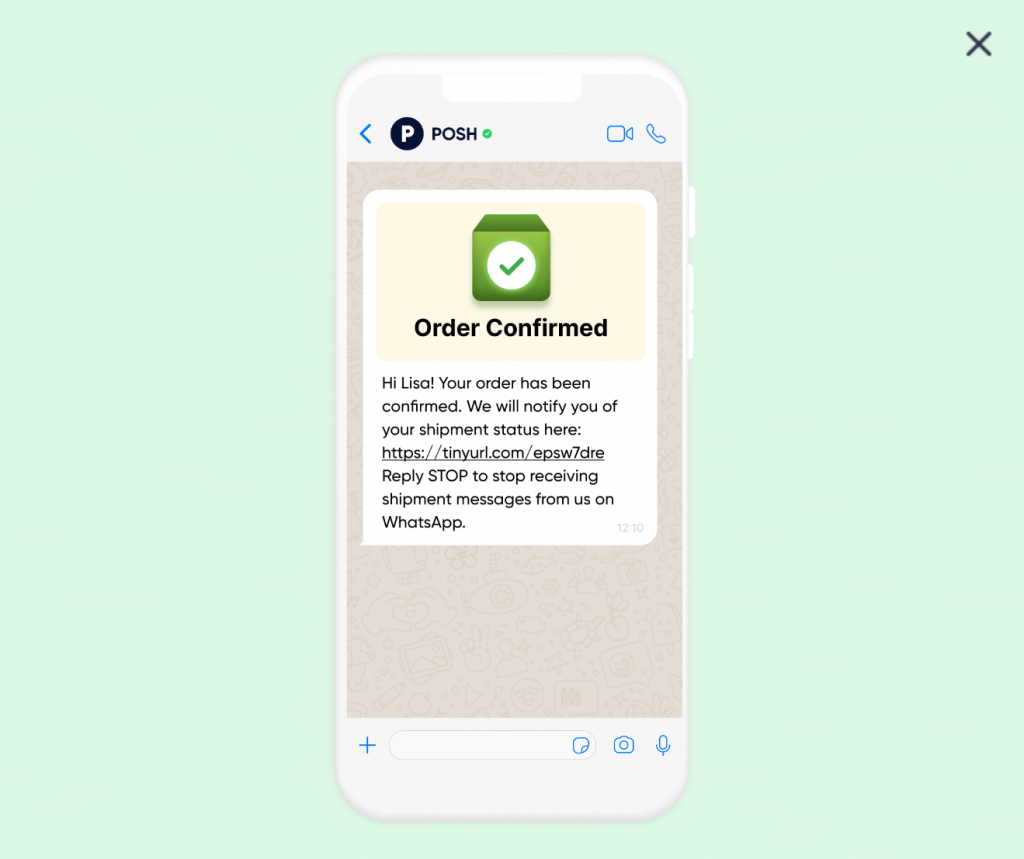
Send an SMS confirming their order status before they even think to refresh their inbox. And because our journey builder lets you automate by event, like “successful purchase,” these confirmations go out in real time, no manual work required.
Then, while the excitement is still fresh, you can plan smart follow-ups.
Think a personalized “You might also like” email three days later, or an exclusive cross-sell WhatsApp message right before their order arrives. The goal isn’t just to confirm the purchase—it’s to start the next one.
Best practices for email workflow automation
We have asked some email experts to spill the beans on the best practices that drive the sales funnel and boost customer loyalty. Here are the top seven ones you
1. Define your goal before you write a single word
If you don’t know exactly where you’re steering, every email becomes a shot in the dark. Before you even touch the automation tool, decide the one outcome this workflow should drive.
Yes, conversions matter. But the best email workflows go beyond the sale.
They deepen trust, educate, and keep your brand top-of-mind even when the buyer isn’t ready to purchase. Think of your workflow as a bridge. Every email is a plank that moves the customer from where they are now to where you want them to be.
- Strong goals sound like this:
- Turn a first-time browser into a paying customer within 14 days.
- Teach a new user how to unlock a feature in under a week.
- Win back 20% of abandoned carts in 30 days.
- Increase 5-star reviews by making follow-up requests frictionless.
If you can’t measure it, you can’t improve it. Anchor every subject line, CTA, and piece of copy to that one, clear objective.
2. Segment like your results depend on it (Because they do)
Sending the same email to everyone is like giving every dinner guest the same dish, without factoring in that the guests have different preferences.
Segmentation is how you make every message feel like it was written for one person, not a list. Depending on your industry or your email goal, you may need to switch up your approach to segmentation from time to time.
Here are some audience types to consider:
- Demographics: Age, role, location, industry.
- Behavior: Which pages they visited, products they viewed, and emails they opened.
- Stage in the buyer’s journey: Curious lead, active customer, or loyal advocate.
With Insider, you can segment audience based on real-time behavior, which helps you make predictions about everything from purchase to churn in real time with Insider’s AI engine, so you do not miss out on micro-moment opportunities to delight your users.
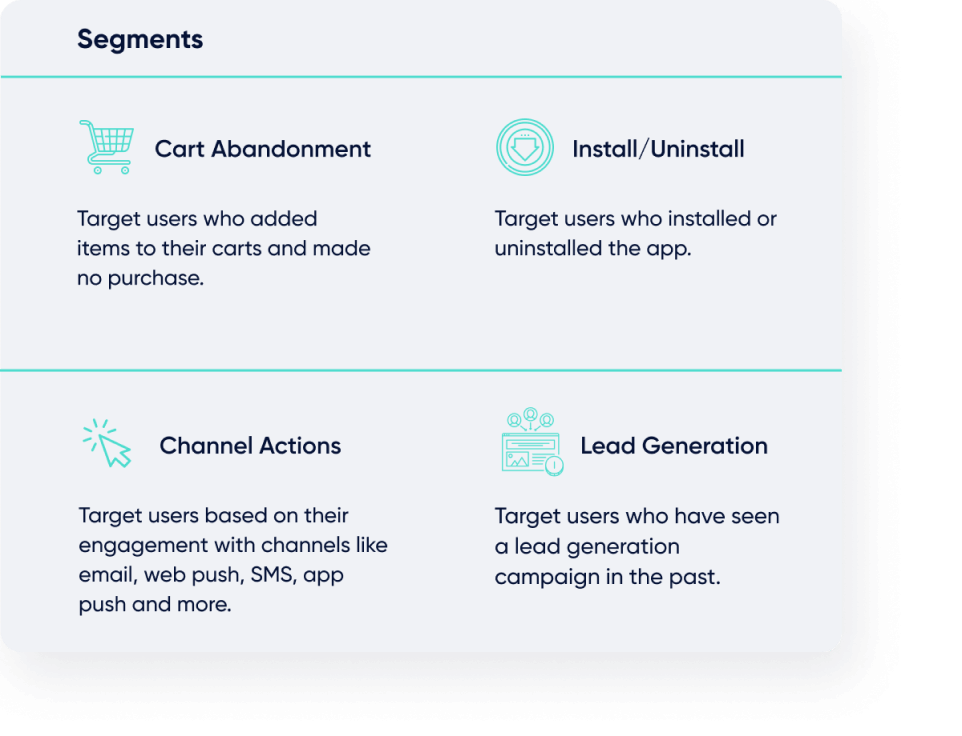
Remember: The tighter the segment, the more specific your message can be, and specificity builds trust.
Beyond the basic segmentation, hypersegmentation can be highly useful for businesses with highly diverse product and service offerings that attract prospects at various stages of the buying process in a number of ways.
Learn more about more advanced segmentation strategies here.
3. Map your workflow to the customer journey
Email automation works best when it feels timely. That means aligning every trigger with a real moment in your customer’s journey.
Here’s a proven three-step structure:
- Spotlight the problem: The first email names the challenge they’re facing and gives them a couple of ways to tackle it (with or without you). This builds credibility.
- Show the path: The second email walks through exactly how your solution fixes that problem, backed by proof, data, stories, or customer wins.
- Make the ask: The final email is where you invite them to take the leap, while making it an obvious next step instead of a hard sell.
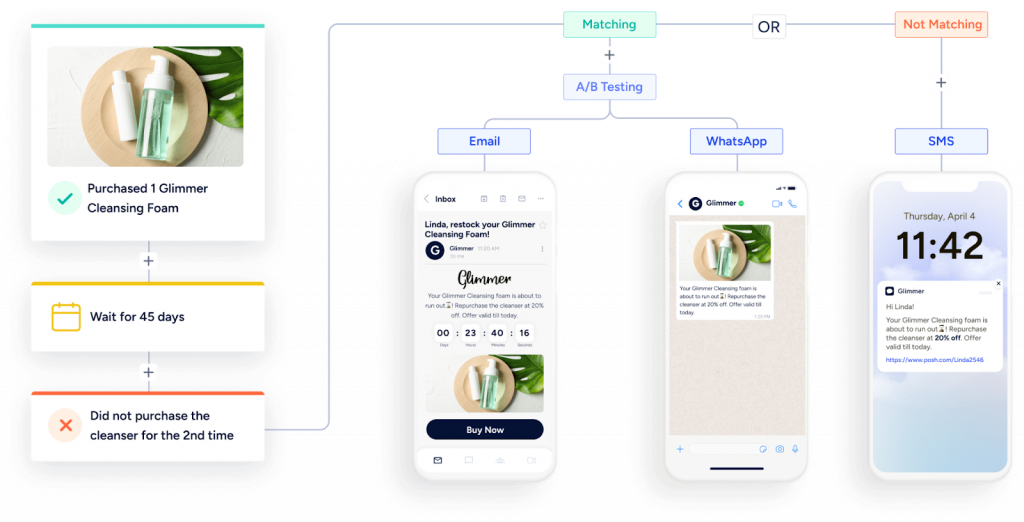
Your workflow reacts to behavior. If they skip the first email, your system sends a softer hook.
If they click a link, it moves them to the next stage instantly. This is where a good CRM or a team that knows how to use one pays for itself.
4. Send emails when they matter, not just when you feel like it
Email automation is a lot like dating. You can ruin a perfectly good connection by coming on too strong or disappearing for weeks.
If you send emails too soon and you risk annoying people. And if you wait too long and they’ve moved on, forgotten you, or worse—bought from someone else.
So where’s the sweet spot?
The best way to find that rhythm is by looking at data, such as:
- How long it typically take a subscriber to make a buying decision
- Your sales cycle
- Past campaign performance
From there, build a timing map.
In an abandoned cart workflow, for example, sending the first reminder an hour after the cart is left catches them while intent is still hot.
A second email 24 hours later with an incentive gives them the nudge they need to complete the purchase. Keep in mind, those time spaces aren’t random. You need to be strategic to recover the lost revenue.
5. Measure the impact (Because you can’t improve what you don’t track)
If you’re not measuring your automation performance, you’re basically driving blind. And in email marketing, that means you’ll either overshoot or miss the mark completely.
Start with open rates, as they tell you if your subject line made someone curious enough to click. Then move to click-through rates, your best indicator of whether the body copy actually connected and compelled action.
Finally, the holy grail: conversion rates to get a clear picture of the percentage of people who went from inbox to checkout (or sign-up).
Layer in A/B testing to sharpen your edge. Test subject lines, send times, calls-to-action. Even subtle tweaks, like moving a button above the fold can shift results dramatically.
6. Test and optimize regularly
Email workflows are not something you set and forget. You need to test variable email copy and optimize it for optimal results.
Before you launch, play the role of both your best customer and your most distracted one.
Click every link. Check every image. Make sure personalization fields don’t embarrass you with “Hi [FirstName].” And don’t forget device testing. Emails that look great on desktop can be disasters on mobile.
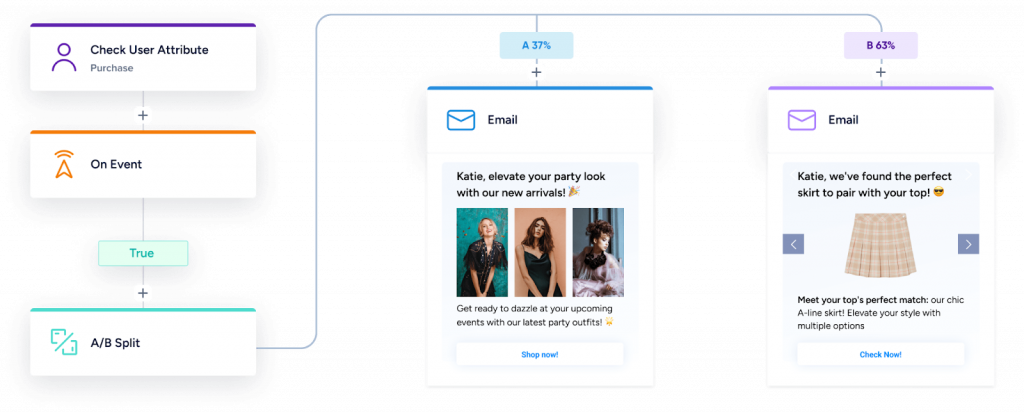
Walk through every possible path: opened but didn’t click, clicked but didn’t buy, ignored completely. Does the sequence still make sense? Or does it drop them into a dead end?
Once you’re live, optimization is an ongoing sport:
- Review analytics regularly to spot your winners and underperformers
- Refine your subject lines and CTAs. Because they’re your conversion levers.
- Keep an eye on spam complaints and unsubscribes. These are your warning lights that you’re sending too much or too little.
- Ask your audience through a short survey. This will surface insights you’ll never find in a dashboard.
Every tweak is a step toward more relevance, more engagement, and more sales.
7. Prioritize relationship building. Sell less, connect more
The retail brands people love most aren’t necessarily the cheapest or the ones with the longest feature list; instead, they’re the ones that truly understand their customers.
Take Apple, for example. Despite Samsung beating them in innovation, Apple still commands loyalty and sales, year after year.
The difference? Apple built its entire brand around simplicity and design, forging an emotional bond that lasts far longer than any spec sheet.
Similarly, your email automation should work harder to build an emotional connection with the subscribers. Each workflow is a chapter in your brand story, which moves subscribers closer to seeing themselves as part of your world.
That’s where you can implement retention and lifecycle marketing consultant Kimberlee Alexandria’s CUPID Framework. As per Kimberlee, this framework focuses on:
- Connecting through relatable stories and experiences
- Underlining the benefits, not just features
- Painting a clear use case so they can see themselves using it
- Influencing with social proof
- Driving action with an offer or invitation
(Bonus: add gamification to make it fun)
When your automation does this well, the sale becomes the logical next step, not a hard push.
Build high-converting email workflows with Insider
Your customers don’t need more emails.
They need the right ones that arrive at the perfect time and say exactly what will move them to act. That’s where you need an email workflow automation platform like Insider.
With advanced segmentation, real-time personalization, AI-powered journey orchestration, and interactive AMP experiences, you can deliver campaigns that feel tailor-made, because they are.
Insider gives you:
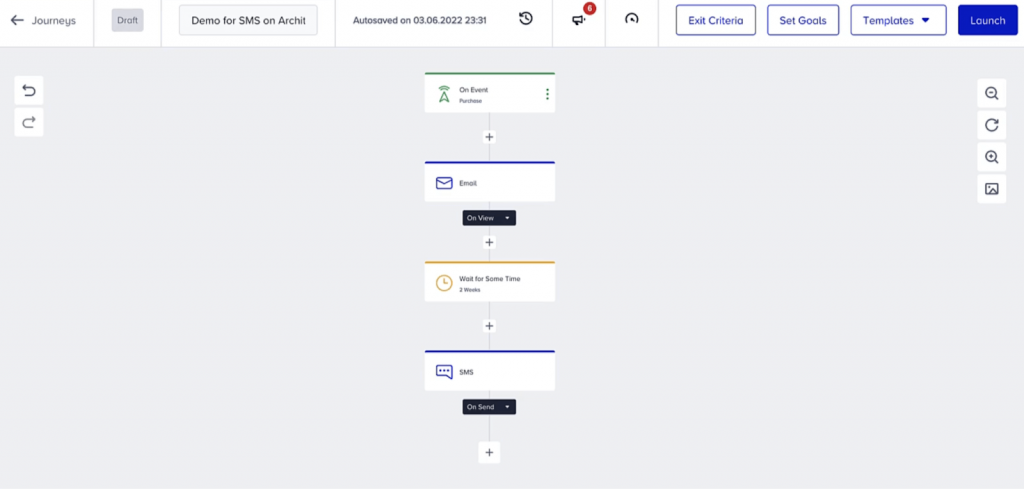
- A flexible marketing automation tool for 12+ channels. You can use it to build automated workflows with a simple drag-and-drop editor across your website, mobile app, email, SMS, WhatsApp, and more.
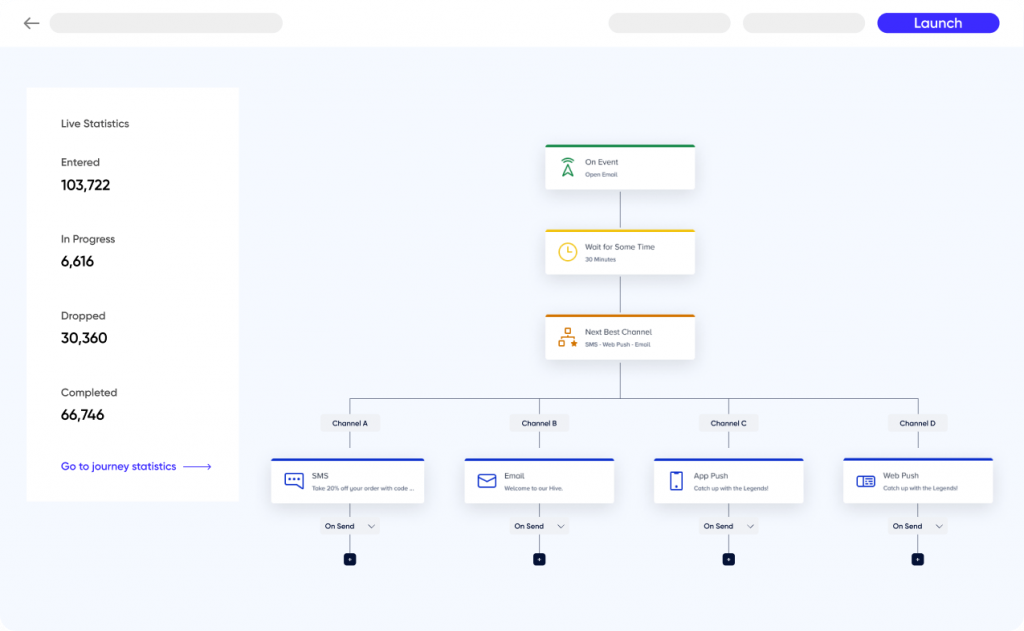
- AI-powered features that save you time and optimize your workflows. These include send-time optimization, next-best channel selection, A/B test winner auto-selection, and more.
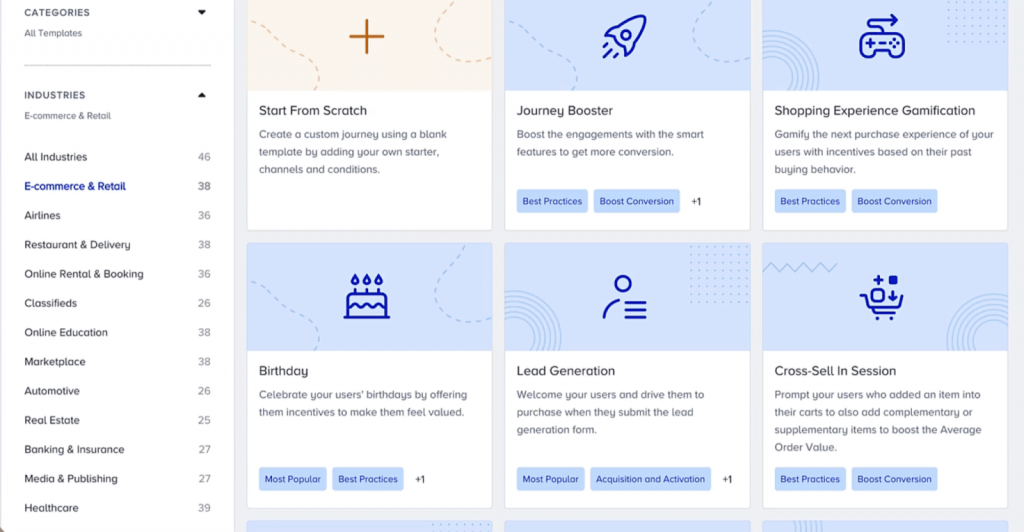
- A plethora of workflow templates for tons of use cases and industries. Each template can be easily customized to your needs without any coding.
That’s how brands like Slazenger, MAXAROMA, and other global retailers have turned Insider’s email workflows into 49X ROI and 700% customer growth.
It’s your turn to send emails people can’t wait to open and act on. Build your first high-converting email workflow with Insider today.